New Toy has arrived – Lytro (first generation) Light Field Camera

The offical Lytro webpage for this camera is right here costing $149 US… I of course used Amazon to purchase a new product where it was only $112 US (heck a $80NZ saving, use Amazon).
Do not buy this product if you are a commercial photographer, as discussed below commercial use of photographs/images produced appears to be not permitted.

And of course as it is just a toy I didn’t want to pay too much for something I might never use. But I have lots of normal cameras, the light field stuff looks like an interesting diversion. The second generation Illum is well over $1000US so obviously I want to see what a light field camera can do before even considiring the more expensive toy.

So this post is about the first generation 8Gb camera model only.

First off the product specs say it includes Desktop software. That software is not actually packaged with the camera, but is downloadable from the Lytro website so no real issue there. The Desktop software available is for windows and mac. I will have to search to see if there are any Linux applications that support processing of light field images, for now the windows one will have to do.

Also ordered a case for it seperately from another vendor, just under half the price of the camera itself; which arrived before the camera even tho the amazon estimated dates had it arriving well after the camera :-).

Have not yet looked at getting the fast charger for it… it does come with a USB connector of course that allows charging from a computer USB port, after 2hrs charging from the laptop USB port it’s gone from 0% charged to 1% charged; leaving it charging that way to see how long it takes. Will try charging from a mains plugged in USB charger at a later time to see if that makes a difference.

So it will obviously be a while before I can write about how it works.

Searching (good old google) on linux alternatives shows that while there are many ‘works in progress’ to emulate the Lytro desktop processing of light field images none are ready yet.

The searches did highlight that a lot of people had concerns about the licensing to the point commercial photographers won’t use it because of the terms, actually commercial use of photographs taken using a Lytro camera appear to be prohibited by the terms of use (content section), that is best covered on a PC advisor post on how to (with difficulty) use a standard DSLR as a light field camera.

So until the Lytro licensing changes I cannot see that anybody would ever purchase the $1K+ model, and light field phtography will remain a toy until such time as other vendors produce similar products with a lot less restrictive licensing terms. It remains nothing but a toy until photographers can do whatever they want with their photographs.

There will propbably be posts on how it works a little later (unless I forget where I put it, it’s quite tiny and I tend to misplace things easily). And I consider the license terms “You may create modifications or derivative works and print Lytro content for your personal use” to mean I can use the pictures on my personal website, so if the light images it captures can create decent pictures I may even publish some here.

But people, it is a toy. The license terms make it unsuitable for any commercial photography.
Posted in personal | Comments Off on New Toy has arrived – Lytro (first generation) Light Field Camera

Googles Android Studio on Linux, installing

Sigh, I’m off on a tangent again.

I really need to test my website against phones. While there are a lot of websites that provide the ability to show how the website appears on different phone models I want a standalone application that I can use without having to be internet connected to test against a test system… so internet based tools are not really an option.

But searches on android emulators generally find dead links to obsoleted projects.

So I’ve decided to try and get the google adroid development kit installed for the emulator.

The getting diverted bit is that it took ages to work out how to setup and install, plus as apps developed using the kit can be installed on phones via a usb connection I will probably play with writing a few apps I want on my phone (my only issue is Java is the primary development language and I stopped using Java over 10yrs ago).

Anyway… the installation documentation does not really cover how to install it, and I had a few issues. This is how I installed and got it running on Fedora22.

The files downloaded were all from the official download site.

  • Selected the “All Android Studio Packages” download link in the assumption that would download all the required packages; that was a tar.gz file android-studio-ide-141.2178183-linux.tar.gz.
    1. mkdir ~/Android as a first step, that is very important
    2. cd to the ~/Android directory and extract the files. It extracts the files into a directory names android-studio
    3. rename android-studio to Studio [optional, but fits better with naming standards imposed]
    4. I then created a bash script in my bin directory that just does a ‘cd’ into the ~/Android/Studio/bin directory and nohups ‘studio.sh’
    5. Ran it. It starts but is incomplete, no SDK Manager option yet
    6. PLus still no emulator command available, “All Android Studio Packages” does not contain all the files needed

At this point I wasted time downloading the SDK download files also; do not do that !. While it does give you the emulator command you get ‘no kernel file’ errors using it with the supllied avd.

What you do instead… is start the Studio again (~/Android/Studio/bin/studio.sh if you followed my naming conventions).

  1. Select the “configure” option
  2. The top entry is the “SDK Manager”, select it
  3. And here you see the importance of the naming conventions I used, the SDK path location is set to ~/Android/Sdk and there does not seem to be any way to change it… using my suggestions you at least get studio and sdk in the same directory tree
  4. It lists the packages required to be installed, the ‘install packages’ button will be highlighted. By default it lists current packages for Android 6.0, you can select older versions if you wish. I selected additional options documentation and samples. When ready click on the ‘install n packages’ button, (read) and accept the license… and wait and wait and wait while lots of stuff is downloaded. But that is how to install the SDK on Linux

Customise your environment, update your ~/.bash_profile to include

PATH=..whateveryouhad...:$HOME/Android/Studio/bin:$HOME/Android/Sdk/tools
export PATH
ANDROID_SDK_ROOT=$HOME/Android/Sdk
export ANDROID_SDK_ROOT

Reload the profile with ‘ . ~/,bash_profile ‘ and you have an almost working environment.

[mark@hawk bin]$ emulator -list-avds
Nexus_5_API_23_x86
[mark@hawk bin]$ emulator -avd Nexus_5_API_23_x86
emulator: ERROR: unknown skin name 'nexus_5'
[mark@hawk bin]$

Interestingly ’emulator -no-skin -avd Nexus_5_API_23_x86′ starts OK… if having no apps other than one that displays the time is what you wanted.

Space requirements including the documentation and samples I downloaded are around 2Gb.

[mark@hawk ~]$ du -ks Android
19316068	Android

My initial, and still active requirement, is to have a emulater to test my website in offline mode against various phones, which this doesn’t meet; so I guess I’m still stuck with using internet websites that provide that function.

But the installation of the Google Android Stidio and SDK has been documented for me to follow at a later date when I try to implement functions I need to andriod applications and may have to rebuild this. It may be usefull to you as well.

update 2015/09/28 : the supplied starter tutorial on the download site for the hello world app crashes in android studio when you get to the passing events step with unable to typecast to (EditText) where the tutorial requires it. It is not a good start when the hello world tutorial on the developer site does not work with the android studio.

Posted in Unix | Comments Off on Googles Android Studio on Linux, installing

Car issues, well not really, I like this car

The mitsubishi and honda cars I used to buy all the time had one major issue. When the check engine light came on you pulled over immediately and waited for a tow truck.

My current little mercedes threw up a check engine light a few months ago; fortunately a few blocks from where I normally have my cars serviced. Drove it to the workshop. The mechanic said no problems (if it is not making a noise, hmm) and booked in 3 days in the future… said it would be fine to keep driving.

Well heck… it has predictive failure, it will advise when any important part is likely to fail soon. When it was booked in they found the part in warning state, reset the error flag on the computer to maintenance pending and ordered the part.

The bad thing about the car is it is continental, the part took six weeks to arrive from Europe so thankfully it wasn’t an important part. It was just a thermostat that if I was driving in a country burried under snow controlled the heating of fuel before it went into the engine… in nice warm NZ no issues.

But, it is nice to know that, most of the time anyway, warning lights are predictive in this car rather than a problem has occured.

I do know when a real problem occurs the entire console display turns red instead of grey and sounds a really load alarm. Such as driving with the door open or moving the car without the handbrake fully disengaged; oops my bad.

It also has a status message display that I will probably eventually find annoying. It threw up a alert saying front right parking light needed attention… I have never used the parking lights and probably never will, but to clear the message it needed servicing.

The only thing it cannot predict is potholes and nails, I have had to replace two tires since I have had the car. It is rated for a steady 240Kpm (although the max the cruise control can be set to is 185Kpm) on a decent autobahn; however on the crappy pothole filled NZ roads even 100Kpm is unwise because as soon as it hits a bump the hydraulics try to raise the suspension for rough terrain, having the car adjust suspension hit up/down for every blasted pothole makes you realise how bad NZ roads really are.

Interesting how NZ manage roads, there is a passing lane heading south from carterton where the road surface was so bad they just put road cones out on it to stop anyone using the lane that was worst torn up… cones have been there for over a month, I guess that is the permanent fix.
On other roads in really bad condition I drive a lot there are ‘temporary speed restrictions’ that have been there for years; why fix a problem when you can just slow down and bottleneck traffic instead; it is cheaper to throw up a temporary speed restriction sign and leave it there forever than fix the road. And when the raod is so bad drivers have to slow down anyway so I guess it works.

Posted in personal | Comments Off on Car issues, well not really, I like this car

Can you ever have too many PCs ?

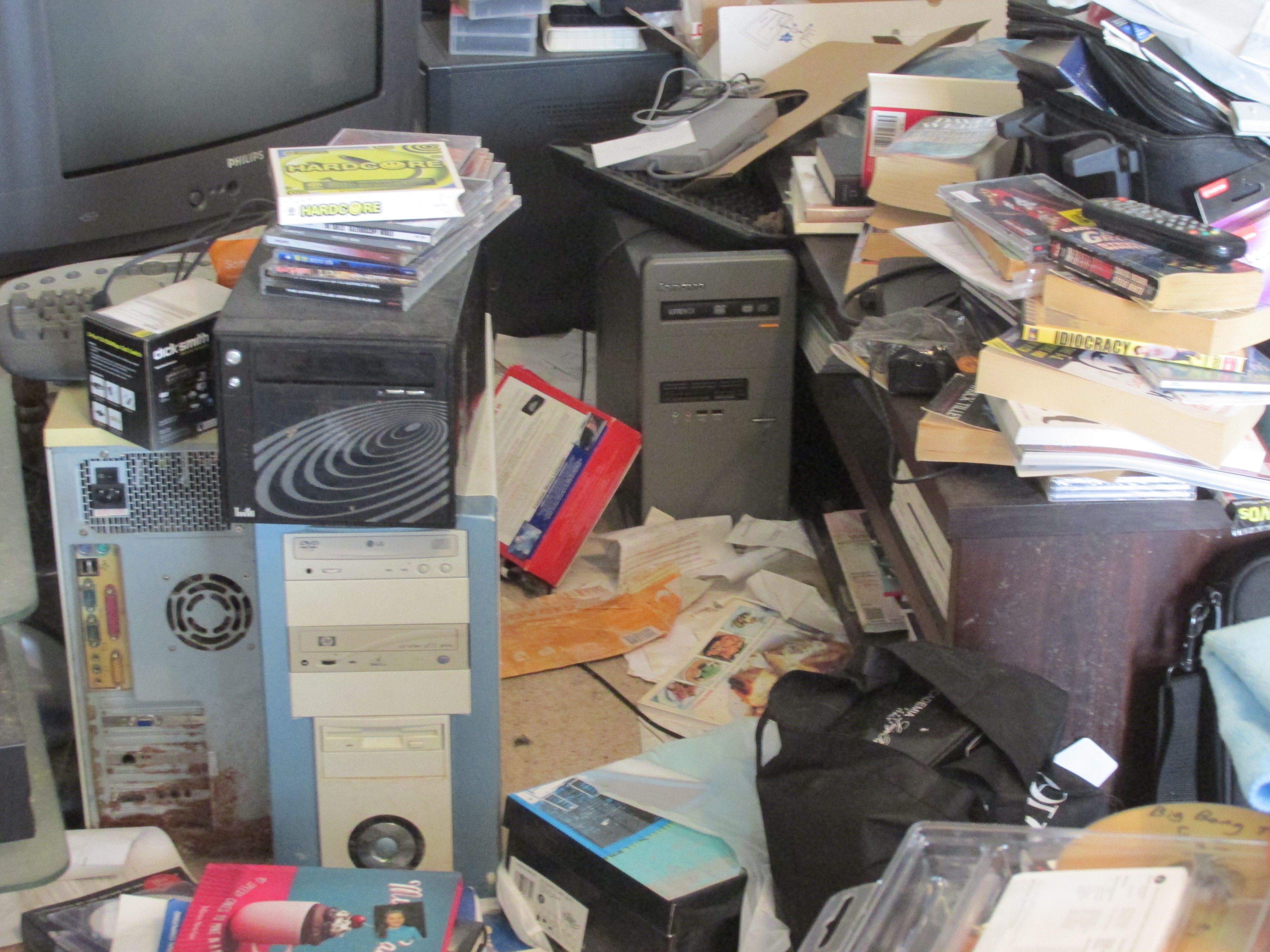
I think I need a cleanup. I have just counted seven (7) powered off PCs, four (4) powered on PCs and one (1) powered on laptop and one (1) powered off laptop. I’m not counting the work laptop I have to cart around as well.

I just don’t have enough power points in this house.

Powered off is cluttering the living room.
IMG_0416

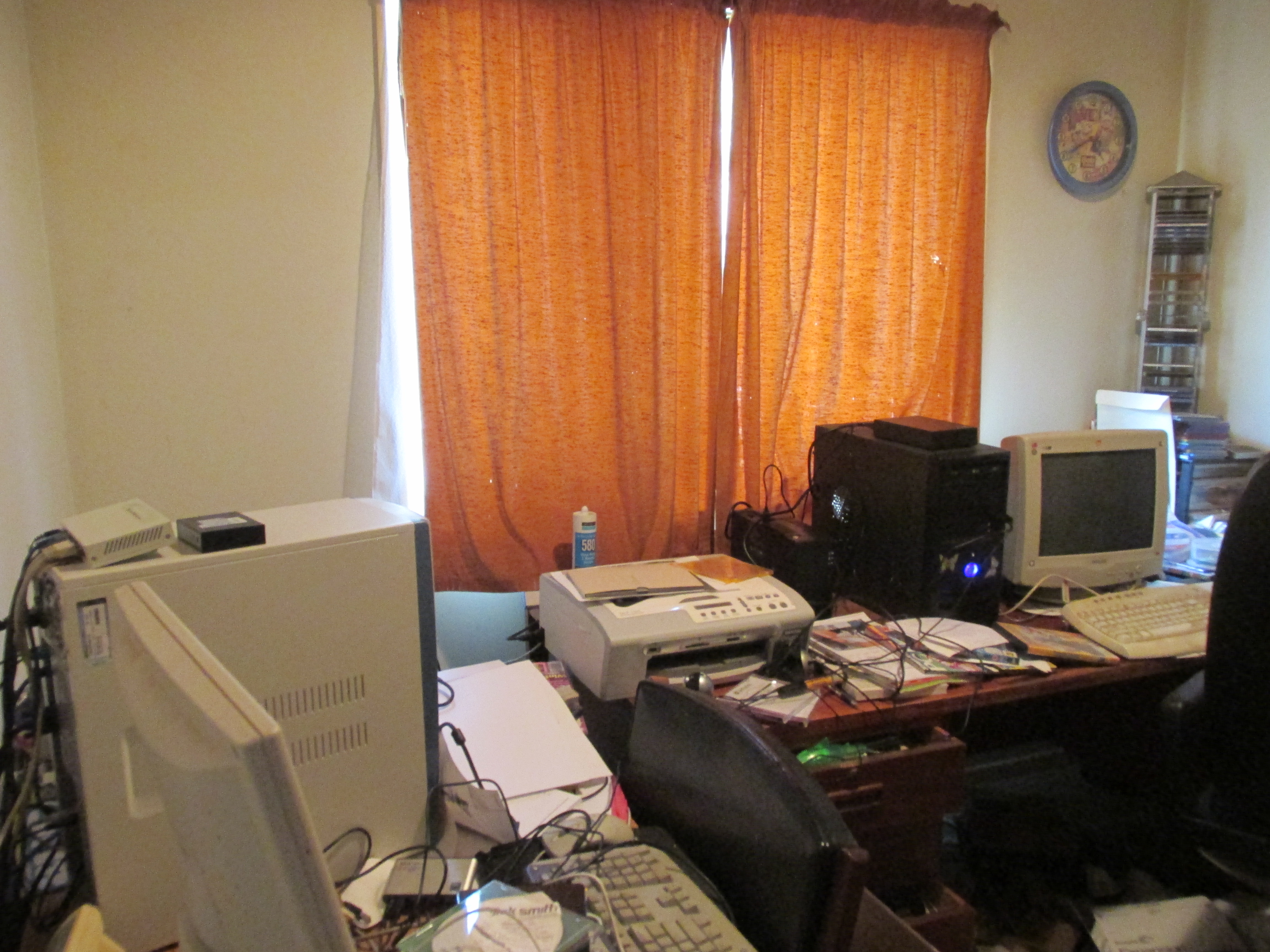
Spare room = server room !. In here we have
IMG_0415

  • Linux: my main VM host with 8core x 8Gb running the webserver, vpnserver and nagios attached to a UPS, and lots of external disk as its my backup server also
  • Linux: a dual core with 756Mb of memory used as a dedicated network print server and file server
  • UPS of course
  • and a powered off physical server that gets powered up occasionally to get the VM website mirrored to it in the unlikely event the backup VMhost machine fails at the same time as the primary VMhost machine
  • Linux-Powered Off: A backup VM host (and desktop) of 4core x 6Gb as a hot backup for my webserver VM and a minimal openstack play environment. Powered off as it should live in my main work area but had to be slotted out temporarily as below

In my main work area we have
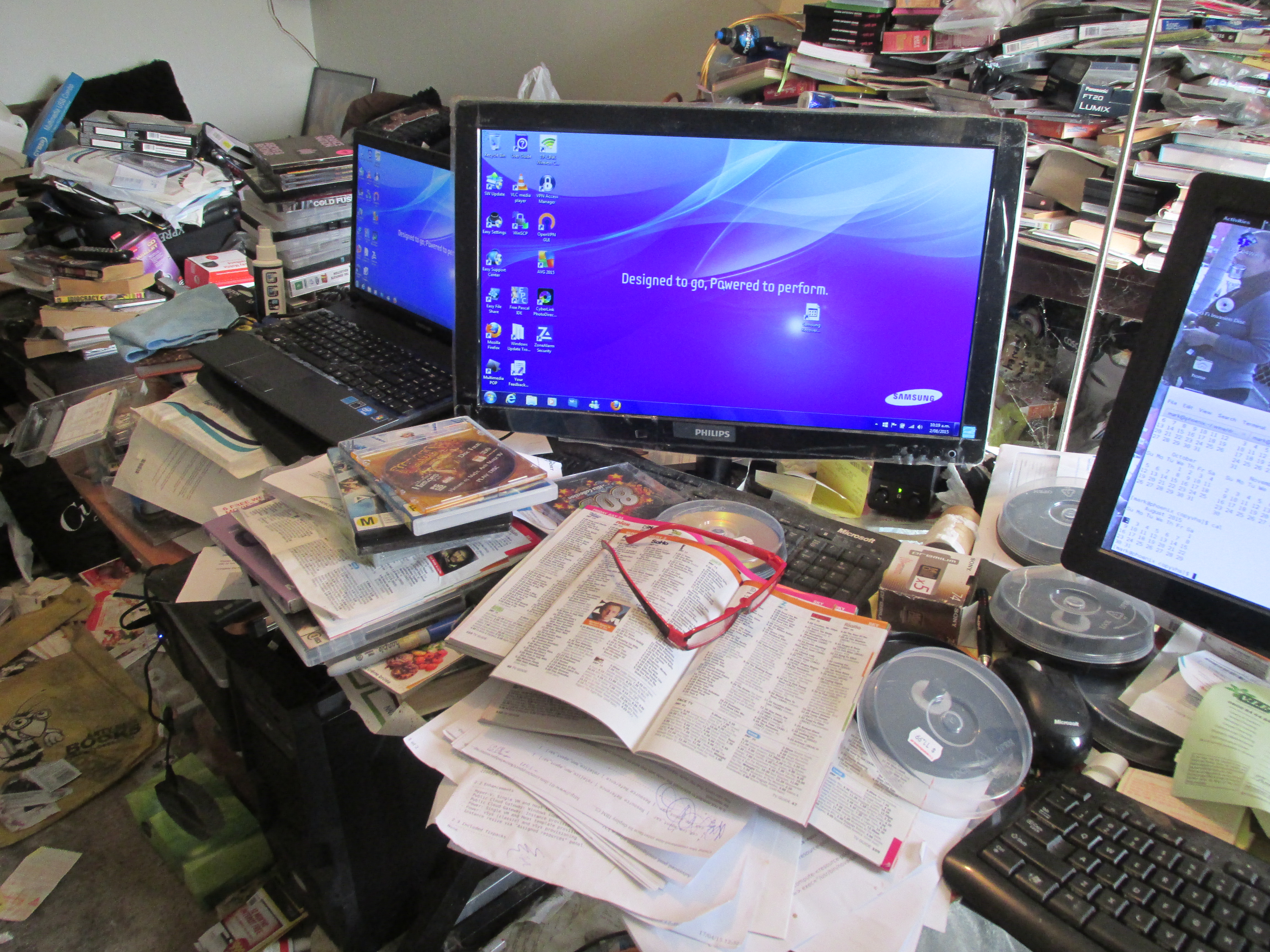
IMG_0417

  • Linux: a 4core x 3Gb desktop. My main desktop for normal work, games and video editing; plus the sky decoder video output cables go into it should there be something I want to record (yes people, you do not need expensive TV media systems with hard drives to record programs, if it has a set of output plugs to a television you can just as easily cable it to a media center or a PC for recording)
  • Linux: Theres an 8core x 32Gb I had to buy as a minimum spec for a work required training course, licensed for VMWare workstation as the training course is a multiple VMWare image envirponment. This is temporary, when the course is done it will go to the workroom, but as VMWare Workstation really requires a local keyboard it has to be in my main work area for now
  • the screen on the left is connected to the 32Gb machine with the HDMI cable plus the VGA cable is connected and can be plugged into either my personal laptop or the work laptop if I am oncall. I have configured all three to me controlled by synergy so my main desktop keyboard and mouse can manage all three… although obviously only one of those three can be active at any one time (normally the 32Gb machine, swapped with the work laptop if I am oncall… in the pic it is my personal laptop sitting around waiting for Win10 (doing the upgrade manually instead while typing this)

And my main laptop is a Linux+Win7 dual boot, 4core x 6Gb used when I want to play with openstack or do some programming while sitting in the sun somewhere. The dual boot is simply so I still have a Windoze system somewhere for playing games that won’t run under wine :-).

My second personal laptop is a collectors item. A really old Toshiba with an orange CGA screen, no hard drive, two low density 3.5inch drives… battery is obviously long dead but it still boots into DOS off the first drive and can still run old games (star quest) off the second. They were built to last !. When it stops working it will be because the low density floppy dies, sigh just cannot get replacements for those.

And I need more UPS equiptment :-)
But I will have to have a cleanup to find somewhere to put new UPS gear as I’ve run out of table space (and floor space).

Oh, the messy tables in the background. I have a couple of thousand DVDs now and all bookcases are full so they get stacked on the tables; as well as 500+ cook books I have learned nothing from that are filling up tables as well. And at least 50 PC games I have never opened because I just don’t have the time.

Have managed to find a second hand book store which ws happy to take over 400 sci-fi books I really didn’t need (keeping about 200 favorites I haven’t found the courage to get rid of yet); and they will grudgingly take some cook books. Shame they don’t sell DVDs.

Posted in Home Life | Comments Off on Can you ever have too many PCs ?

Sam my cat isn’t too well

He was fighting again. Off to the vet for surgery.

He was not impressed with having to wear that plastic cone to stop him scratching at the stitches in his face. He actually managed to get it off before I even got him home from the vet… spent most of the week putting it back on him even after I had resorted to using tape. Fortunately for him he was due back at the vet to get the stiches out before I had to resort to super-glue.

Sam in neck cone

Sam in neck cone

The kitchen floor got a bit of a clean though. With the cone on he could not get his head into his water bowl so I had to put down a big stainless steel kitchen/mixing bowl full of water for him… that I kept tripping over hence washing the kitchen floor.

And his blood tests showed he’s on only 25% kidney function now; he must be around 15yrs old now and still catching birds (and fighting the stupid little b*gger). So the vet has put him on a special low protien (only available via vet so expensive) diet, that of course he is refusing to eat. Left him locked inside for three days with nothing but that to eat, and he refused to eat for three days.

I’ve tried mixing that food with a litle normal food, he just licks off the normal food. Trying that vitamin/gravy flavouring stuff mixed with it at the moment but thats not working very well.

The trouble is if I can’t get him to eat the bloody stuff, he just wanders off and eats from the neighbours cat bowls anyway.

I wonder if when I get old people will be trying to force me to eat food I hate to give me a few years more life, rather than letting me eat food I like and reaching an early grave. I don’t think I would like that either.

Posted in Home Life | Comments Off on Sam my cat isn’t too well

Went To Armageddon WN 2015

Went on the last day again, when they are slashing prices desperate to sell all the leftover stuff. They were not quite so desperate this year.

But even though I have just recieved in my mailbox 120 b-grade sci-fi movies I grabbed as box sets from amazon I still grabbed a couple more (well quite a few more) dvds while I was there… I think I already have some of them but just in case I grabbed them anyway.

As always lots of pretty women in flashy costumes to take pictures of. Actually a few of the costumes seemed to pretty much nothing but undergarments but I didn’t take pictures of those; they wouldn’t have been in focus anyway.

Armageddon 2015 WN

Armageddon 2015 WN

Armageddon 2015 WN

Armageddon 2015 WN

Armageddon 2015 WN

Armageddon 2015 WN

As always there are more photos from the expo on my website.

Amazing how many people from work I ram across in the few hours I was there; I’m not the only geek :-).

Posted in Home Life | Comments Off on Went To Armageddon WN 2015

Sony Minidisc devices, RIP, now I want them

My new (well second hand, but new for me) Merc has a minidisc player as well as a CD/DVD player (plus some other thing in the glove box with an eject button I haven’t worked out). The CD/DVD player and Minidisc player are cunningly hidden behind a large LCD display (that presumably plays the DVDs when one is inserted rather than displaying detailed info on what else I’m listening to) but as I can’t watch DVDs while driving I haven’t really played with that). The entire screen slides up to insert a CD and slides down to insert a minidisc, quite cool.

Anyway I obviously immediately decided I should create some minidisc compilations.

As Sony stopped making minidisc equiptment and the disks about 3yrs ago, finally giving up on the format as CD’s obviously won, it was rather hard to find a minidisc recorder. I found quite a few refurbished ones on amazon in the UK but none would ship to NZ. And then one popped up on TradeMe from a wellington seller; large autobid on; and I now have a minidisc recorder; its in as new condition as well with all the cables and manual.

Plus as minidiscs are no longer produced I ordered five of them from the UK to play with as you just cannot get them in NZ (they arrived from the UK in four days, better than NZ local mail); I must order some more while they are available as they are no longer being manufactured… and like CDs can only be written to once, so five may not last long.

Anyway, they don’t actually play much longer than CDs (well recorded in long play they could but I don’t know if the player in the car would support that) so it’s more a new toy than practical.

Anyway,fired up Asunder and mp3’ed lots of CDs. Having real trouble deciding what to put on a playlist though. Mixed some IceHouse+Enigma+TokioHotel+Hi-Nrg+Ultravox+Spandau-Ballet and had to start deleting stuff from the list as it was too long. I guess I will have to use a second disc for an Heavy Metal compilation. And then theres Cure, Meatloaf, Pat Benetar, Cyndi Lauper…. I have too many CDs and really don’t know where to start.

Anyway, as the guy that sold me the minidisc player/recorder put a new battery in it I should at least try it. I will record onto one of my new blank disks tomorrow morning, then play it in the car :-).
Can’t do it today as it’s in the bedroom and the dog is asleep on my lap so I can’t get it at the moment, priorities, dog and cat get what they want first, they are my family :-).

And I can’t drive anywhere today anyway. I expected to be paged out for the daylight savings changes overnight so stayed awake, until about 5am when I decided it must have all gone ok. My ‘family’ started fighting about 8am when the cat tried to eat the dogs food which always starts a war; so I was awake again then. And way too tired to start the car engine.

But I’ve had the car about six weeks and already put 5000k+ onto the odometer so I really should try for a compiled playlist rather than flipping CDs about (and no I don’t want to burn a music CD, wheres the fun in that… and most blank/compiled CDs in NZ “skip” if played in a CD player anyway (yes I did try); minidisc should be better).

Posted in Home Life | Comments Off on Sony Minidisc devices, RIP, now I want them

Have ordered another MiView for the car

The old one did it’s normal beeping while shutting down, which was bad as it was still supposed to be powered on. And it refuses to start up again.

I don’t know if I just broke the power cable fitting it to the new car, or if the unit itself died, or if the new car is delivering insufficient input voltage (although it ran for about 2hrs before dying). Cigarette lighter still works so there is still power to that.

Anyway, to get a new car charger cable is $50, thats a lot to pay to see if the power cable is the broken component. The next MiView model down from the one I currently have is only $119 which includes a power cable… and as I’m not sure if the unit itself is broken going for the complete package makes more sense, and is cheap enough that if it breaks again in the new car I haven’t wasted too much money.

According to the car manual there are supposed to be other charging points, in the boot, not much use there.

Anyway, it’s been ordered and should be here by next weekend to take on a 4-5hr drive to see if it lasts.

Posted in Home Life | Comments Off on Have ordered another MiView for the car

Went to annual Otaki Kite Festival

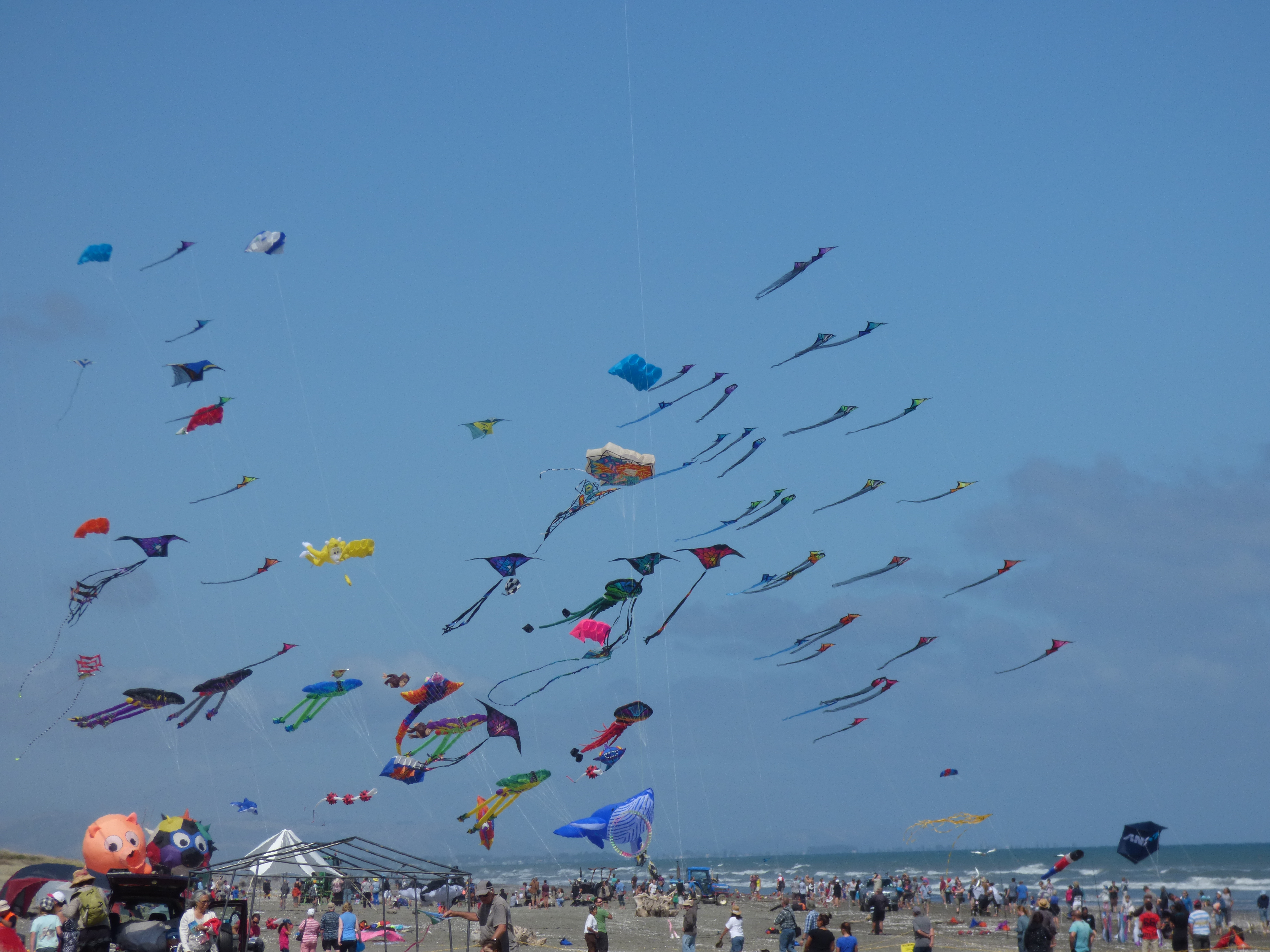
Took some photos of the kites.
Was going to take some video but the only status message on the video camera screen was ‘flat battery’; and I refuse to use video mode on may min cameras on principal.

Did not bother looking around the stalls; thats no fun on your own. Did take a rather long look at one of the lifeguards on the beach though, almost as pretty as T :-)

P1000453

Stopped at the Katmandu outlet shop in Otaki on the way back. Yes I did spend money.

Really wanted to stop at the Wendys burger joint in paramata on the way back but after waiting to turn for 10mins (oncoming traffic was an endless stream, no way of ever being able to turn across) just pulled out of the turning lane onto the road again and kept heading home. Wendys burger joint is just in the wrong place at paramata, they must lose 50% of customers that want to go there.

Did stop at lindale to grab some sweets from kapiti candies; the stuff you can’t get anywhere else.

Apparently the Kite Festival runs for two days. Tossing up whether to go back tomorrow as I missed the ‘kite fighting’ today (slept in) and I will have recharged the video camera battery by then.
If I do I might go to the tram museum on the way back as I haven’t been there for over a decade, something else to point a camera at and a nice slow tram ride to nowhere might be relaxing ?.

Posted in personal | Comments Off on Went to annual Otaki Kite Festival

Implementing custom display commands in MVS3.8J (OS/VS2)

I let this slide since october last year, but have started looking into it again. As I noted in an earlier post IEE3503D seemed the most likely candidate, and that was a correct guess.


CBT tape 486 file 887 has a way too complicated example of an implementation of adding extra commands. Way too complicated in that it depends on a usermod from the same file to create extra system control blocks… and is not at a TK3 level for SMP either, if used it will actually remove a whole heap of required programs from linklist.
And of course I don’t want to have to re-apply a usermod every time I want a new command anyway.


So, going my own way :-)

  • I used as a base the copy in MVSSRC.SYM101.F13(IEE3503D) in the vague hope it is the latest, I haven’t found a copy in a SMP distribution library yet
  • The changes I made to it were pretty simple. Immediately prior to the jump to the error routine to report a display command was not found I implemented a ‘load ep’ call to locate a MID3503D program,
    • if the program is found in the linklist it will be called to check for additional commands to be processed; if command is processed (rc=0) good, if the command was not found in the linklist module (rc<>0) the origional display command not found routine is still called
    • if the program is not found in the linklist the origional code to report the display command was not found is used (although there will be the obligatory 0806 error message written to the console saying program MID3503D was not found)
  • I used SMP4 to update the source for IEE3503D only. That allowed SMP4 to handle the re-assembly and link editing to all affected OS modules, correctly. The TK3 provided SMPAPP PROC worked OK for that (both in SMP4 install and restore(rollback)).

After IPL’ing with CLPA everything works as expected; prior display commands still work and unknown commands try to locate program MID3503D from the linklist and just write a 806 program not found error message to the console before falling through to the normal bad command message.

And :-) :-) :-) I tested the rollback job to backout the update as well.

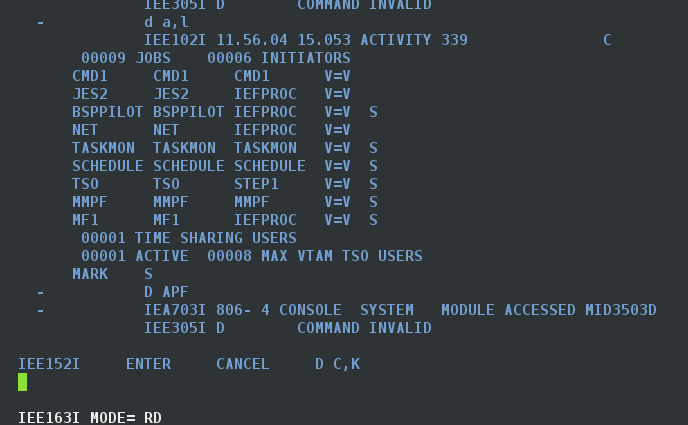
I am comfortable my changes will work as intended. Entering valid and invalid display commands show expected results (valid display commands work, invalid display commands try to run MID3503D and correctly handle the missing module as seen below.

WithUsermod

So implementing new commands is just a case of providing them in the MID3503D program, and assembling it into any linklisted library, the module does not need to be APF authorised (unless you are doing something that needs that of course).

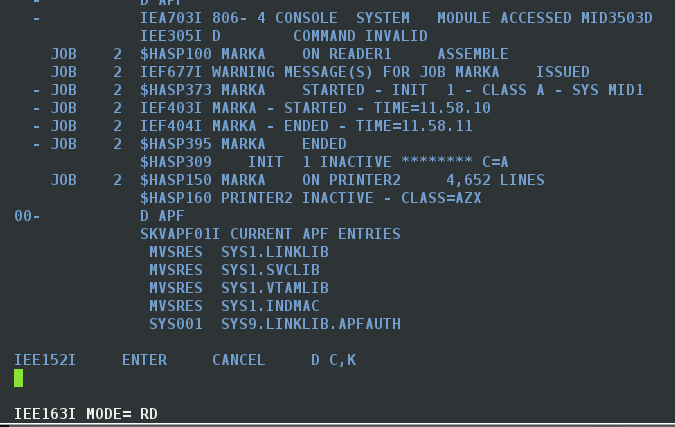
Does it work, or course it does. In the screenshot below the batch job assembled my current MID3503D into a linklisted library, and additional commands were available like magic.

In my sample program I copied the “D APF” code from the CBT example mentioned above into my MID3503D module and it works OK with that extra command. Specifically there is no longer a module not found error and the D APF command now works.

WithMID3503D

So adding additional console display commands now is just a case of modifying MID3503D and re-assembling it; although in 3.8J you have to IPL to pickup the changed linklist PDS directory to see the changed module of course.

And deleting the MID3503D module and re-ipl’ing will backout anything you screw up; no messy SMP required.

Anyway, the detailed description and files needed are here should you be a turnkey3 user wanting to create new commands.

Posted in MVS3.8J | Comments Off on Implementing custom display commands in MVS3.8J (OS/VS2)